

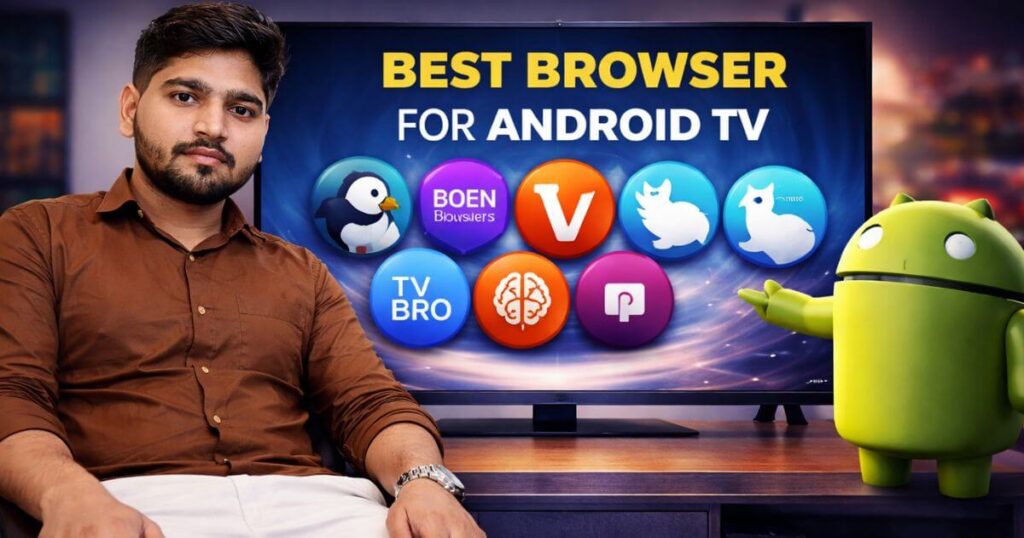
For the past few years, Android TVs have revolutionized the way we consume content. But in a world where every feature counts, a crucial question arises: what is the best browser for Android TV?
In this article, we will explore the essential criteria for choosing the ideal browser and maximizing your browsing experience on a large screen.
Table of Contents
8 Best Android TV Browsers for 2026 (Complete Guide)
Puffin TV Browser
The Puffin TV Browser is a web browser specifically designed for smart TVs. Thanks to its simple and intuitive interface, it provides a smooth and optimized browsing experience on a large screen. Unlike traditional browsers, Puffin TV is designed to offer a user experience tailored to the remote control, making online content viewing quick and enjoyable from the comfort of your living room.
This browser stands out for its impressive speed and ability to load web pages in record time. This is made possible by its cloud-based architecture, which processes data on remote servers before transmitting it to your device. Furthermore, it offers broad compatibility with videos, online games, and interactive websites, making it a versatile tool for various uses on your television.
Finally, Puffin TV Browser prioritizes user security and privacy. By encrypting traffic between the browser and its servers, it protects your data from potential threats. Whether you’re streaming videos, browsing social media, or visiting your favorite websites, Puffin TV Browser transforms your television into a true window to the web, all with remarkable performance.
Google Chrome
Google Chrome is one of the most widely used browsers in the world, offering a fast, efficient, and easy-to-use experience, even on Android TV. Thanks to its clean and intuitive interface, it guarantees smooth and enjoyable browsing, perfectly suited to television screens and use with a remote control or gamepad.
This browser stands out thanks to its extensive library of extensions available on the Chrome Web Store, allowing you to personalize your experience to suit your specific needs, even on Android TV. You can block ads, improve your browsing, or easily access your favorite platforms. Furthermore, with Google sync, your bookmarks, passwords, and browsing history are accessible across all your connected devices.
Regularly updated for optimal security, it protects users against online threats such as phishing and malware. With a private browsing mode, it also offers an option to explore the web without leaving a trace. Versatile, secure, and powerful, it’s an ideal solution for fully enjoying the internet on Android TV.
DuckDuckGo
DuckDuckGo stands out for its focus on privacy and personal data protection, making it an excellent option for Android TV users. Unlike other search engines, it guarantees the anonymity of your searches by not collecting or sharing any personal information. This allows for online browsing without tracking or profiling, ideal for use on a large screen.
The interface is simple, fast, and optimized for Android TV, offering a smooth and intuitive experience. In addition to providing relevant results, it offers instant answers on a variety of topics and integrates advanced features such as tracker blocking and automatic redirection to secure websites.
Available on browsers compatible with Android TV, it meets the needs of privacy-conscious users while offering efficient browsing. With its commitment to respectful and secure browsing, it provides a reliable and high-performing alternative to traditional search engines on Android TV.
TV Bro
TV Bro is a web browser specifically designed for Android TVs. It stands out for its interface, optimized for remote control use, offering smooth and intuitive navigation on a large screen. Thanks to its optimization, it allows users to easily browse websites, watch online videos, or access streaming platforms.
Lightweight and fast, this browser supports essential features such as multiple tabs, bookmark management, and voice commands. It also stands out for its compatibility with HTML5 videos, providing a smooth multimedia experience. In addition, it offers advanced customization to meet specific user needs.
Open-source and ad-free, it guarantees a simple and efficient user experience. Whether for occasional or regular use, it transforms the television into a true browsing tool while respecting user privacy.
Mozilla Firefox
Mozilla Firefox is an open-source web browser renowned for its speed, flexibility, and commitment to user privacy. Developed by the Mozilla Foundation, it stands out for its intuitive and customizable interface, suitable for both beginners and advanced users, including those using Android TV.
This browser is compatible with Android TV devices, offering a smooth browsing experience on the big screen. Users can enjoy advanced features such as tab management, extensions via the Firefox Add-ons Store, and cross-device synchronization. Furthermore, it prioritizes privacy protection with tools like tracker blocking and private browsing mode.
Regularly updated, it guarantees enhanced security against online threats, while remaining lightweight and fast. With its ethical approach and adherence to web standards, it’s an excellent choice for those seeking a reliable, high-performing alternative that respects their personal data, even on Android TV.
TVWeb Browser
TVWeb Browser is a browser designed specifically for smart TVs, offering a browsing experience optimized for large screens. It provides a smooth and convenient user experience thanks to its simple interface and remote control navigation, transforming the TV into a true web access tool.
This browser supports essential features such as bookmark management, tabbed browsing, and online video support. It is optimized to provide a stable multimedia experience, with broad compatibility for interactive websites and streaming platforms.
With its ease of use, it allows you to easily browse news, watch videos, or conduct searches from the comfort of your living room. An ideal solution to enhance your smart TV experience.
Kiwi Browser
Kiwi Browser is a fast and powerful mobile browser designed to deliver a smooth and secure experience on Android devices, including Android TV. Based on Chromium, it supports extensions from the Chrome Web Store, enabling advanced customization and a wealth of features tailored to the needs of users on large screens.
This browser stands out for its ability to effectively block ads, ensuring a more pleasant browsing experience, while protecting privacy with built-in security tools. Its intuitive and lightweight interface guarantees fast navigation, even on complex websites. It also offers a comfortable night mode and automatic translation options, ideal for convenient use on Android TV.
Perfect for users seeking speed and flexibility, it’s designed to adapt to modern browsing habits, whether for watching multimedia content or surfing the web. With its support for extensions and advanced features, it offers a powerful and versatile alternative to enhance the Android TV user experience.
Amazon Silk
Amazon Silk is a web browser developed by Amazon, specifically designed for Fire devices, but also suitable for use on Android TV. It stands out for its unique architecture, using the Amazon cloud to optimize performance and offer fast and smooth browsing, even on large screens.
Thanks to its cloud-based operation, it reduces the load on devices, enabling faster page loading while conserving local resources. Its intuitive and user-friendly interface seamlessly integrates with the Android TV experience, offering convenient features such as tabbed browsing, favorites management, and direct integration with Amazon services like Prime Video and Alexa.
Ideal for streaming and everyday browsing, this browser is designed for users seeking a lightweight, high-performance solution optimized for multimedia ecosystems. It’s an excellent option for those who want to enjoy a smooth and efficient web experience on Android TV.
Read Also:- How to Unblock TV Sites and Apps With A VPN
Conclusion
Today, we explored a selection of the best browsers available for Android TV, highlighting their specific features, performance, and advantages. Now, the choice is yours, depending on your browsing needs and preferences.
We hope this article has been helpful in guiding you towards the browser that will perfectly meet your expectations and offer you an optimal experience on your Android TV.
FAQ
What is the best browser for Android TV?
The best browser for Android TV depends on your needs, but Google Chrome and Firefox are the most popular options, offering smooth browsing and convenient features. Puffin TV Browser is also an excellent choice for an optimized big-screen experience.
How do I install a browser on Android TV?
To install a browser on Android TV, open the Google Play Store and search for the browser of your choice (such as Chrome or Firefox ).
Select it and press Install. Once the installation is complete, launch it from your TV’s application menu.
Why isn’t my Android TV browser working?
Your Android TV browser may not work due to an unstable internet connection or incompatibility with your TV’s Android version. Try restarting your TV or checking for available updates.

Lokesh Sharma is a digital marketer and SEO expert at TechJustify with a keen interest in emerging technology trends including AI, cybersecurity, and digital marketing tools for more than 5 years. He writes clear, actionable articles for tech enthusiasts and business leaders, simplifying complex topics like VPNs, automation, and generative AI.