

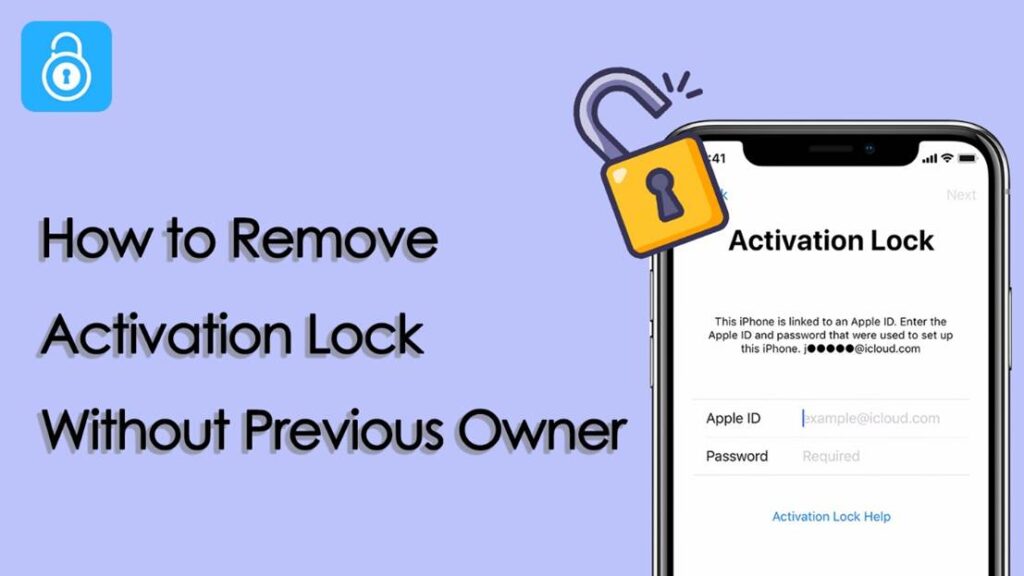
Activation Lock is designed to protect iPhone users from unauthorized access. While this feature is very useful for security, it can become a serious obstacle when you cannot contact the previous owner of an iPhone. Many users search for activation lock removal after buying a used device or resetting an iPhone without knowing the Apple ID details.
In this article, you will learn what is activation lock, why it happens, and how to remove activation lock without previous owner access using practical methods and safe iPhone unlock tools like TunesKit iPhone Unlocker.
Table of Contents
Part 1. What Is Activation Lock
Before discussing activation lock removal, it is important to understand what is activation lock. Activation Lock is a security feature linked to Find My iPhone. When Find My is enabled, the iPhone is connected to the owner’s Apple ID.
If the device is erased or reset, the iPhone will require the same Apple ID and password to activate again. Without these details, users cannot proceed past the setup screen. This is why many people look for ways to bypass iCloud activation lock.
Part 2. Common Situations When the Activation Lock Occurs
Activation Lock often appears in everyday situations. The most common cases include the following:
1. Buying a second-hand iPhone online that is still linked to other Apple ID. The device was reset before being sold, and the previous owner is no longer reachable.
2. Receiving an iPhone as a gift, but the previous owner did not remove their Apple ID, and Find My iPhone is still enabled. Then Activation Lock will appear during setup
3. Inherited an old iPhone from a family member, but the original owner is unavailable or forgot passcode, and Apple ID information is unknown.
4. Purchase a refurbished phone that was not fully reset and failed to remove the previous account.
5. You forgot iPhone passcode and Apple ID credentials when resetting your own iPhone and without signing out of iCloud
Part 3. How to Remove Activation Lock Without Previous Owner
If contacting the previous owner is not possible, you still have several methods to try. Each method works under different conditions, so choose the one that best fits your situation.
Important Things to Know Before Removing Activation Lock
Before starting activation lock removal, keep these points in mind:
- Make sure the iPhone is legally yours
- Some methods may erase all data
- Not all methods work on every iOS version
- Be careful of websites that promise instant free unlocks
Method 1: Remove Activation Lock Using TunesKit iPhone Unlocker
What is TunesKit iPhone Unlocker?
TunesKit iPhone Unlocker is a professional iPhone unlock tool designed to help users regain access to locked iPhones. It supports multiple scenarios, including unlocking iPhone without passcode, removing Apple ID without passcode, bypassing iCloud activation lock when the previous owner is unavailable.
Key Features of TunesKit iPhone Unlocker
- Supports activation lock removal from iOS 12.0 to iOS 16.7.5
- Suitable for beginners with a simple interface and clear step-by-step instructions
- Works on both Windows and Mac and support the latest iPhone models and iOS versions
- High success rate in unlocking iPhones compared to free tools
- Remove different types of screen locks from any iOS devices, including 4-digit and 6-digit passcodes, Touch ID, and Face ID.
Steps to Remove Activation Lock Using TunesKit
- Download and install TunesKit iPhone Unlocker on your computer. Launch the software and connect your device to the computer with a USB cable. Choose Remove iCloud Activation Lock.
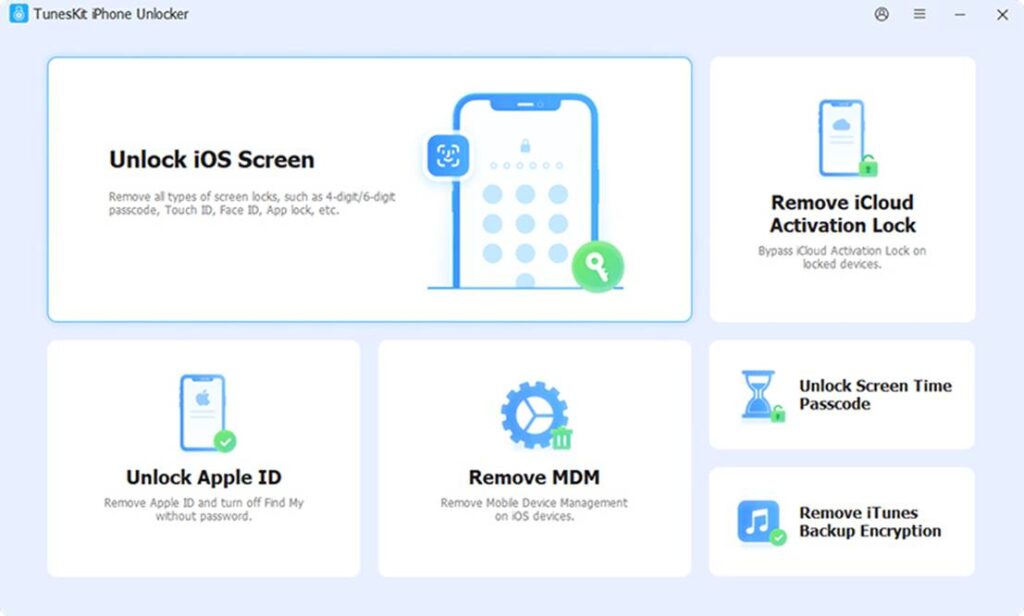
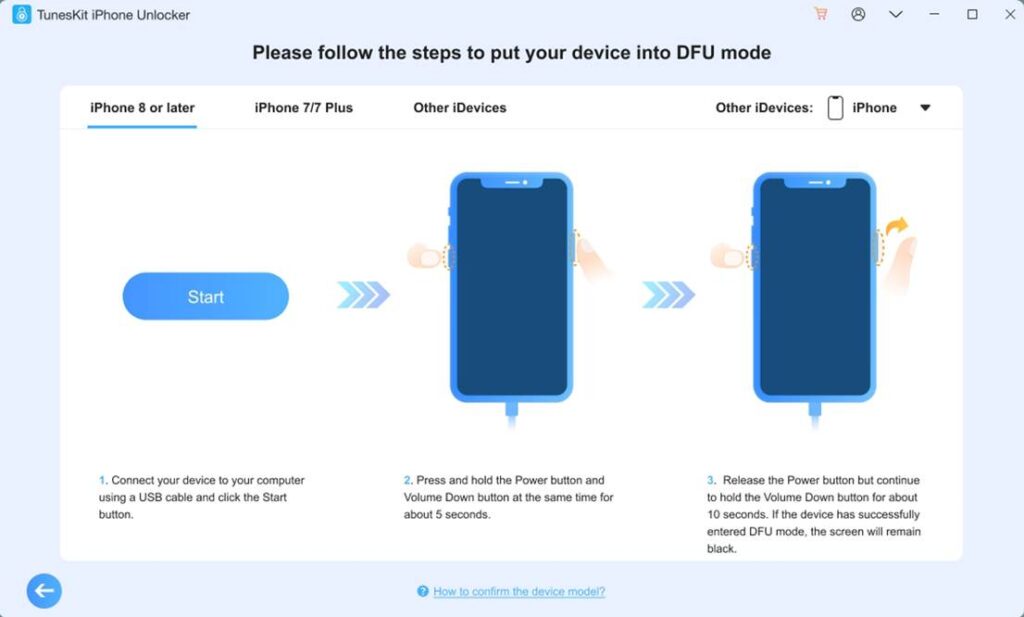
- Click Start. Your iPhone will enter Recovery Mode automatically. Follow the on-screen instructions to put the device into DFU mode. Then the jailbreak process will begin.
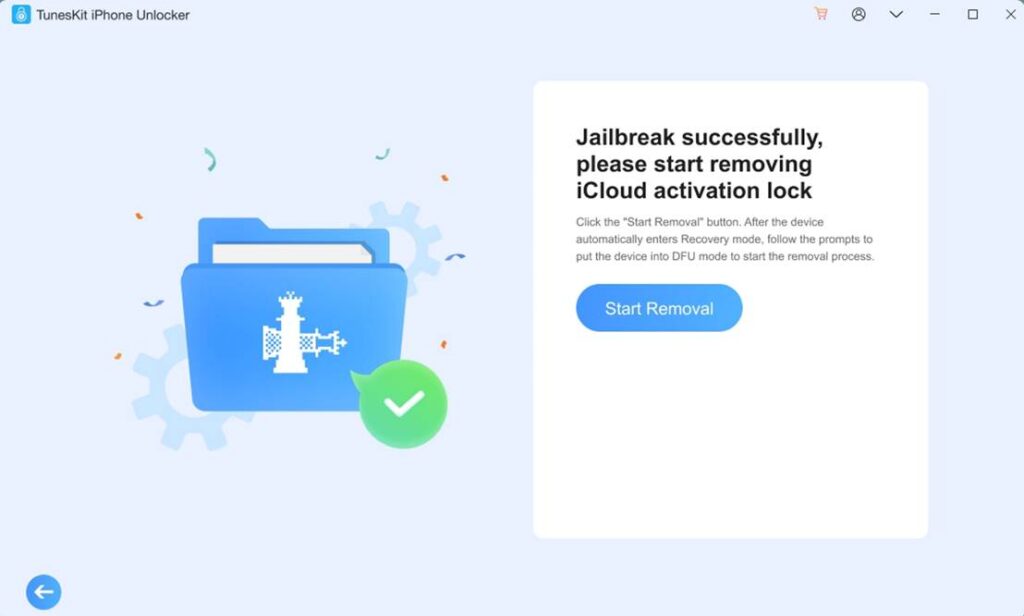
- After jailbreaking is finished, click Start Removal, and repeat the steps to enter the DFU mode. Then TunesKit will automatically start removing the iCloud lock.
- Wait while the software processes the activation lock removal. Then you can set up your iPhone and start using it.
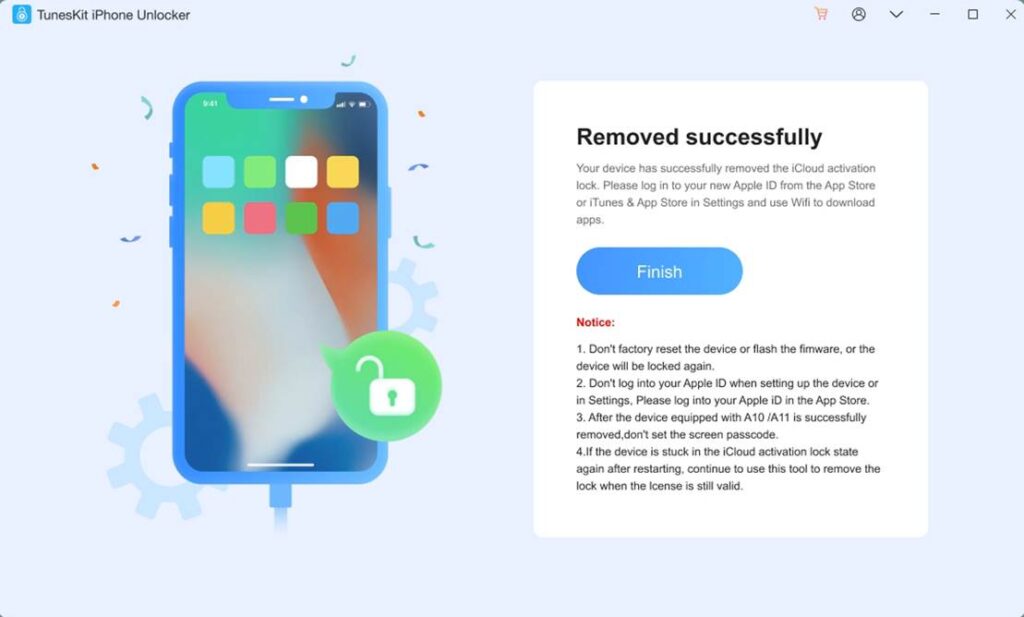
This method is one of the most effective and easiest ways to remove activation lock without previous owner information.
Method 2: Use DNS to Remove Activation Lock
If you’re locked out of an iPhone or iPad at the Activation Lock screen, a DNS bypass is sometimes mentioned as a quick workaround. It’s important to know what it really does: it doesn’t remove Activation Lock from Apple’s servers, but it may let you access a limited menu (like web browsing or basic apps) on some older iOS versions.
Steps to Use DNS Bypass:
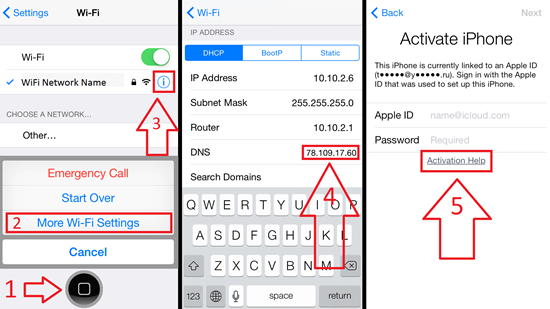
- Restart your device and go to the Hello setup screen. Choose your Language and Country/Region.
- On the Wi‑Fi screen, connect to a WiFi network and tap the information icon next to your network.
- Tap Configure DNS, select Manual. Remove existing DNS entries, enter the following DNS values based on your region:
South America – 35.199.88.219
Australia and Oceania – 35.189.47.23
Asia – 104.155.220.58
USA – 104.154.51.7
Europe – 104.155.28.90
Other continents – 78.100.17.60
- Tap Back, connect to Wi‑Fi, and wait for the bypass page to load.
This method only allows limited access and does not permanently remove Activation Lock.
Method 3: Remove Activation Lock by Contacting Apple Support
Apple Support may help with activation lock removal if you can prove that the iPhone legally belongs to you. This method follows Apple official policy and is suitable for users who have a valid purchase receipt. However, approval depends on Apple review and is not guaranteed in all cases.
Steps to Request Activation Lock Removal from Apple:
- Visit the Apple Support website or an Apple Store
- Provide proof of purchase, showing your device serial number, your phone receipt, and Apple agreement number
- Explain that you cannot access the Apple ID
- Wait for Apple to verify the information
- Apple may remove Activation Lock if approved
This method does not always work, especially if proof of purchase is missing.
Part 4. How to Bypass Activation Lock If You Can Contact the Previous Owner
If you are able to contact the previous owner, they can remotely remove the iPhone from their iCloud account. This method does not require any third-party software and permanently removes Activation Lock from the device, making it safe and reliable.
Steps to Remove Activation Lock via iCloud:
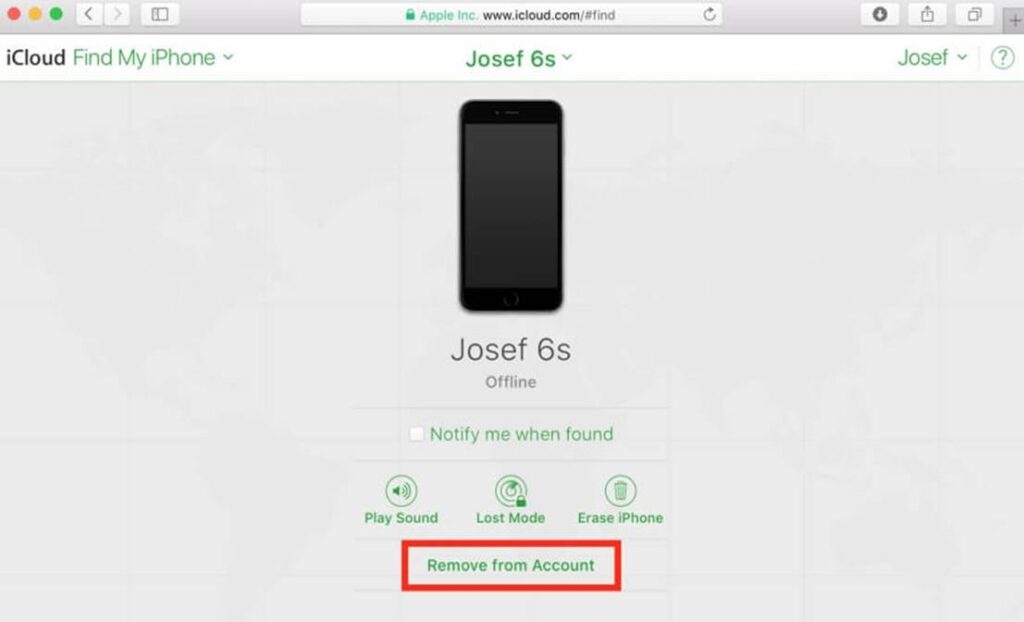
- Ask the previous owner to sign in to iCloud.com on another device
- Open All Devices from the account menu and select the locked iPhone from the device list
- Click Erase This Device. Choose Remove from Account after erasing
- Restart the iPhone and complete setup
Once removed, Activation Lock will no longer appear.
Part 5. Frequently Asked Questions
1. Do Free Online Activation Lock Removal Tools Really Work?
Most free online activation lock removal tools are scams. They often ask for IMEI numbers and provide no real results. Real activation lock removal requires advanced system access.
2. Is Removing Activation Lock Legal and Safe?
Yes, if you are the rightful owner of the device. It is illegal to unlock stolen devices. Using trusted tools is safer than unknown online services.
3. How to Avoid Activation Lock in the Future?
Always sign out of iCloud before selling or giving away your iPhone.
Keep Apple ID information secure.
Check used iPhones carefully before purchase.
Conclusion
Activation Lock is an essential security feature. it can prevent access when ownership details are missing. By understanding what is activation lock and choosing the right activation lock removal method, users can safely regain access to their devices. If you are looking for how to remove activation lock without previous owner access, TunesKit iPhone Unlocker offers a reliable and easy solution to bypass iCloud activation lock and unlock iPhone without passcode.

Pradeep Sharma is a author the mind behind Techjustify, where I craft insightful blogs on technology, digital tools, gaming, AI, and beyond. With years of experience in digital marketing and a passion for tech innovation, I aim to simplify complex topics for readers worldwide.
My mission is to empower individuals with practical knowledge and up-to-date insights, helping them make informed decisions in the ever-evolving digital landscape.