

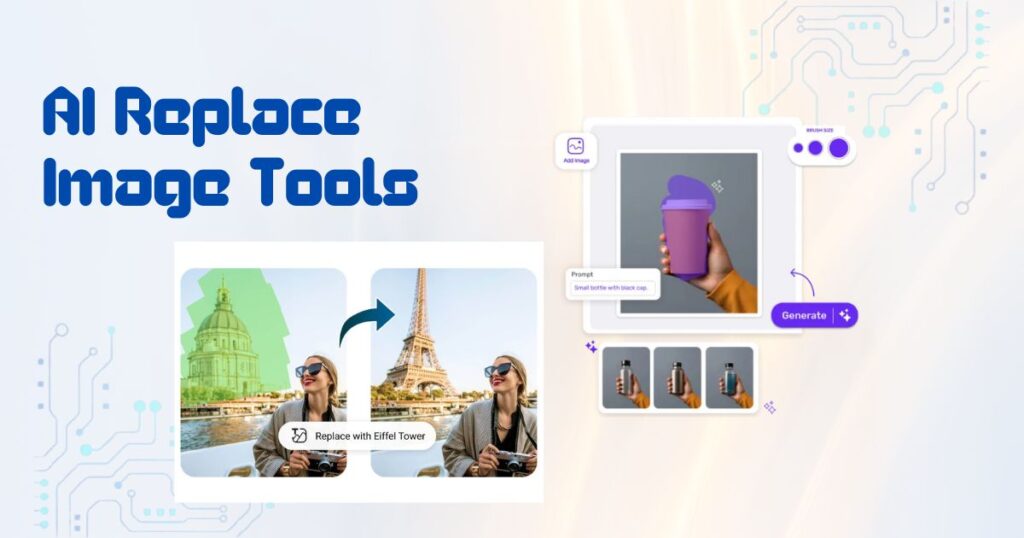
Are you wondering about the best AI image replacer? If so, explore this post for eight powerful AI replace tools, including free and paid options, for seamless editing and inpainting.
Table of Contents
Introduction
With advancements in AI technology, replacing elements in images is no longer a technical or time-consuming task. Modern AI image replace tools enable users to change backgrounds, remove unwanted objects, and fill in missing areas for eye-catching results. These solutions are transforming how designers, marketers, and casual users edit photos.
But with numerous options available, choosing the right AI replace tool may seem overwhelming. In this guide, you’ll learn about the top 8 AI image replacer and inpainting tools, with tips to make an informed choice.
Part 1. How to Choose an Image Replace Tool
When selecting an AI photo replace tool, considering various factors is essential to ensure the tool meets your needs. Here are some key points:
- Ease of Use: Look for a photo replacer with an intuitive interface that allows you to navigate and perform edits easily.
- Supported Formats: Ensure the tool supports a range of image formats (e.g., JPG, PNG, TIFF) to provide flexibility in your editing.
- Speed: Check the processing time, and choose the one that can quickly make precise replacements without compromising the quality of the remaining image.
- Advanced Features: Consider whether the AI image replacer offers additional features, such as image inpainting or enhancement, to meet various needs.
- Budget: Determine whether a free tool is enough or if a premium option is required for more advanced features.
Part 2. Top 8 AI Image Replace and Inpainting Tools in 2025
Top 8 AI Replace Image Tools You Should Definitely Try
Below are the eight best AI replace and inpaint tools to streamline your workflow. Let’s dive into the features, pros, and cons of each one:
HitPaw FotorPea
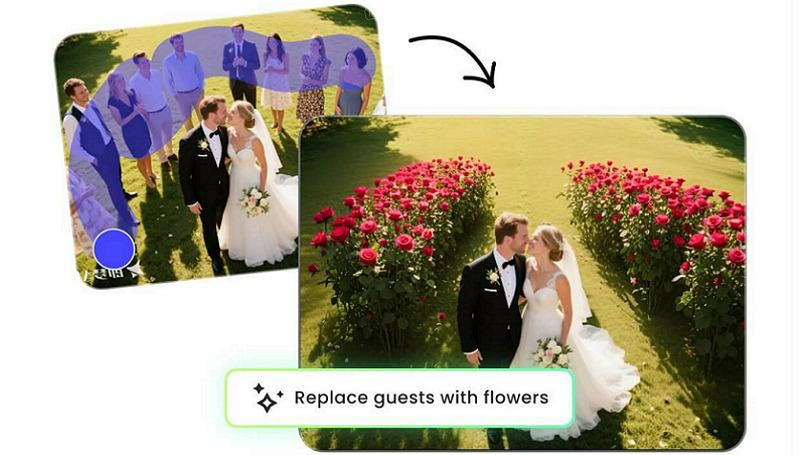
HitPaw FotorPea is the most comprehensive photo enhancement software, offering an AI photo replace tool with other advanced functionalities.
Its cutting-edge technology can instantly detect and remove the background across desktop and mobile devices. You can either keep the background transparent or replace it with a solid color, pattern, or image. It also lets you remove any unwanted elements from your image using the brush/erase feature.
Along with fast processing, you can enjoy the professional-grade output quality with no rough cutouts. Lastly, its intuitive interface allows even beginners to complete the required task without any hassle.
Main Features:
- Help eliminate and replace the image backgrounds with AI
- Let you remove distractions, i.e., power lines, shadows, clutter, etc.
- Ensure no quality compromise during background replacement
- Enable you to create a professional ID photo from a simple image
- Support replacing backgrounds from multiple pictures at a time
How to Replace Image using HitPaw FotorPea:
Step 1. Upload Photo
After installing and launching the program, click the “Toolbox” from the side column and choose the “BG Remover” tool. Now, select or drag and drop the required photo.
Step 2. Adjust the Erased Areas
Once the tool automatically removes the background, you can choose the “Brush” or “Erase” button to adjust the area you wish to keep or remove.
Step 3. Replace Background
Lastly, you can choose a background color, a pattern, or an image from the library to replace it. Then, hit “Export” to save the final photo. That’s all!
2. Fotor
Fotor is an online AI replace free tool that enables seamless addition and replacement of elements to your images, whether it’s a background, person, or clothes. It requires simple text prompts to adjust or replace objects in a few clicks.
With its smart selection tool and context-aware replacements, you can regenerate backgrounds until you get the desired results.
Pros:
- Versatile format support like HEIC, WebP, JPEG, PNG, etc.
- Replace text in photos without affecting the background
- Support for batch editing and customizable templates
Cons:
- Limited manual controls for fine-tuning
- Low resolution output compared to desktop apps
3. Picsart
Picsart is a versatile AI image replace platform for swapping backgrounds and objects with custom, AI-generated visual elements. Optimized for social media creators and marketers, it is available on both web and mobile.
You can describe the object in the prompt box to replace elements without losing image quality. It also offers creative features, including filters, stickers, and templates.
Pros:
- Quickly swap photos in just a few taps
- Realistic replacements with AI technology
- Endless customization with built-in editing tools
Cons:
- Leave watermarks on free exports
- Certain functions require a subscription
4. OpenArt
OpenArt is a free AI-driven image inpainting tool that also helps remove unwanted objects from images. It can help reconstruct missing parts of images, replace elements, or modify backgrounds with realistic results.
Thus, you can perform complex edits quickly and effortlessly. It is ideal for artists, designers, and marketers looking to create unique visuals or restore incomplete images efficiently.
Pros:
- Let you edit photos with text prompts
- Help remove unwanted objects in clicks
- Offer various AI models for the best results
Cons:
- Learning curve for advanced features
- Limited customization options
5. AirBrush
AirBrush is another AI photo replace tool, specialized for portraits, selfies, and products, enabling users to swap objects, remove blemishes, or enhance features by writing a single prompt.
With its AI generative refill tool, you can add the desired elements to the background in seconds. Its intuitive workflow helps achieve natural results on desktop and mobile without manual retouching.
Pros:
- Ensure smooth and realistic edits
- Support uploading from mobile phones
Cons:
- Advanced functionalities require a subscription
- Touch-ups and adjustments are difficult to make
6. BeautyPlus
BeautyPlus is an AI editing app that helps replace the selected areas in your images with new content. You need to describe the desired changes to let AI remove objects, swap elements, and adjust backgrounds while maintaining a realistic appearance.
Its mobile accessibility makes it ideal for everyday users, social media creators, or casual photographers seeking good-quality output.
Pros:
- AI eraser and background removal
- Easy beautification features for portraits
- Creative effects for photo enhancements
Cons:
- It may sometimes bring unnatural results
- Lack of advanced features for free
7. MyEdit
MyEdit is an AI-powered online photo editor that helps remove and replace objects and backgrounds from images using the Magic Brush and simple text prompts. With intuitive controls, you can effortlessly and quickly replace text in photos.
It is suitable for both beginners and professionals seeking a quick solution for image replacement and inpainting with high precision.
Pros:
- Versatile range of AI tools
- Support for multiple formats
- Deliver AI replace results instantly
Cons:
- Learning curve for beginners
- Occasional AI inaccuracy
8. Pixelcut
Pixelcut is a generative AI image replacer that helps accurately erase parts or objects of a photo by marking the selected area with a brush. Later, you can replace them with high accuracy by giving a prompt. It also offers other editing tools, such as retouch, expand, and upscale, for achieving professional-quality results.
Pros:
- Support for batch editing
- No watermarks on exports
- Available for Android and iPhone
Cons:
- Lack of advanced editing options
- Processing is a little slow
Conclusion
Replacing backgrounds from photos has become easier than ever, thanks to the range of AI replace tools. Whether you’re looking for a free or a premium AI image replacer, this post has a tool for every need.
Although you can pick any desired option, HitPaw FotorPea is highly recommended for those seeking a fast, accurate, and user-friendly tool. Try it today and experience seamless AI photo editing.

Lokesh Sharma is a digital marketer and SEO expert at TechJustify with a keen interest in emerging technology trends including AI, cybersecurity, and digital marketing tools for more than 5 years. He writes clear, actionable articles for tech enthusiasts and business leaders, simplifying complex topics like VPNs, automation, and generative AI.