

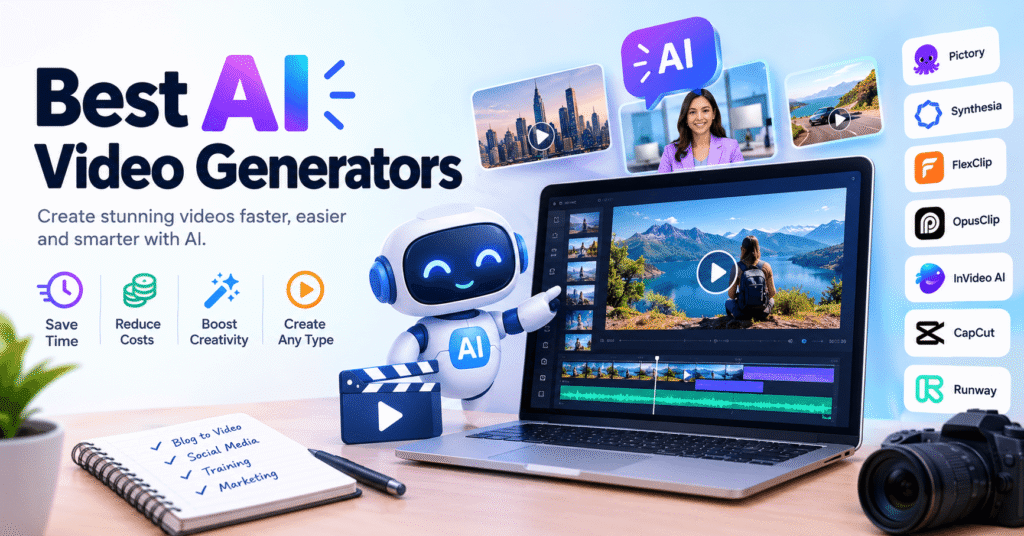
Looking to create high quality videos without spending hours editing? If you work in content creation you know that video is essentia and also one of the most time consuming formats. AI-powered video generators have become indispensable tools: they don’t perform miracles, but they save countless hours and simplify repetitive tasks.
In this comprehensive guide we show you the best AI video generators comparing them based on real world use highlighting their advantages limitations and what type of project each one is best suited for.
Table of Contents
Comparison Table: Best AI Video Generators
| Platform | Ideal for | Content type | Reviews | Assessment |
|---|---|---|---|---|
| Pictory | Content marketing | Text to video | ⭐ 4.5/5 Trustpilot ⭐ 4.6/5 G2 | Ideal for turning blogs into videos |
| Synthesia | Business and training | Corporate videos | ⭐ 4.3/5 Trustpilot ⭐ 4.7/5 G2 | Professional Realistic Avatars |
| FlexClip | Beginners | Simple videos | ⭐ 4.4/5 Trustpilot ⭐ 4.6/5 Capterra | Simple, accessible, and well rated |
| OpusClip | Reuse long content | Shorts, Reels, TikTok | ⭐ 4.4/5 Trustpilot ⭐ 4.6/5 G2 | The one that saves the most time |
| InVideo AI | Fast marketing | Promotional videos | ⭐ 4.3/5 Trustpilot (AI) ⭐ 4.5/5 G2 | Fast with varied templates |
| CapCut | Creators and social networks | Short video | ⭐ 1.8/5 Trustpilot (Billing issues) | Powerful but with complaints about support |
| Runway | Creatives and pro teams | Advanced Edition | ⭐ 1.6/5 Trustpilot (Complaints about credits and prices) | Powerful but expensive and complex |
7 Best AI Video Generators in 2026 (Detailed Analysis)
1. Pictory — Automatically Converts Texts and Articles into Videos
Pictory automatically converts text or blog posts into videos . It works great for content marketing and repurposing blog posts into videos for social media or YouTube.
It’s useful as a complement, especially when you need to generate a volume of content without investing too much time in production.
✅ Main advantages of Pictory
- Text to video: Paste your article and automatically generate a video
- Stock library: Millions of free images and video clips
- AI Voiceover: Automatic narration with natural voices
- Automatic transcription: Perfectly synchronized subtitles
- Video editing with text: Edit the video by editing the transcribed text
Real user review:
“We use it to transform blog posts into quick videos for LinkedIn and YouTube. Huge time saver.”
❌ Pictory limitations
- The results are somewhat generic if you don’t customize them.
- Manual adjustments are needed for professional results.
- Automatic clip selection is not always perfect
💰 Pictory Prices and Plans
Monthly plans from $19/month (Standard) to $99/month (Premium) depending on usage and video length.
2. Synthesia — AI Avatar Video Generator for Businesses
Synthesia stands out for creating videos with AI-generated avatars , widely used in corporate training, employee onboarding, or internal business communication.
It’s not a social media tool, but in corporate environments it significantly reduces production costs and creation times.
✅ Main advantages of Synthesia
- Ultra-realistic avatars: Over 150 AI avatars available
- Multiple languages: Support for over 120 languages and accents
- Brand customization: Add logos, corporate colors
- No recording: Create videos without cameras or real actors
- Scalability: Produce hundreds of videos with the same avatar
- Professional templates: Ready-made templates for training and communication
Real user comment:
“For internal videos, we stopped recording real people and gained consistency across all our training materials.”
❌ Synthesia limitations
- High price (oriented towards businesses)
- Unnatural for creative content or entertainment
- Avatars, although realistic, are still perceived as AI
💰 Synthesia Prices and Plans
Monthly subscription plans from $29/month (Personal) up to Enterprise plans customized for large companies.
3. FlexClip — Simple Video Editor for Beginners
FlexClip is simple and straightforward. Ideal if you’re starting out in video creation and need to create basic videos without any hassle .
It’s not the most powerful on the list, but it works well as a quick support tool for simple projects.
✅ Main advantages of FlexClip
- Ultra-simple interface: Perfect for non-editors
- Basic templates: Sufficient for common needs
- Screen recording: Includes screen recorder
- Resource library: Stock photos, music, stickers
- No installation required: Fully online editor
Real user review:
“Perfect for simple tutorial or explainer videos with no prior editing experience.”
❌ FlexClip limitations
- Limited AI capabilities compared to competitors
- Not suitable for complex or professional projects
- Fewer advanced customization options
💰 FlexClip Prices and Plans
Limited free plan (1 minute duration). Premium plans from $9.99/month with more features and no limits.
4. OpusClip — The Best for Converting Long Videos into Viral Clips
OpusClip is one of the tools we use most when we need to create viral clips from long videos . You upload a podcast, interview, or long video, and the AI automatically detects the best moments to turn them into short clips ready to publish.
In real-world workflows, it’s a massive time saver , especially if you produce a lot of weekly content for TikTok, Instagram Reels, or YouTube Shorts.
✅ Main advantages of OpusClip
- Intelligent automation: Automatically detects the best times
- Automatic subtitles: Generates highly accurate captions
- Viral score: Each clip receives a potential virality score
- Optimized formats: Export directly in vertical format for networks
- Real time savings: From hours of editing to minutes of review
Real user comment:
“I used to spend hours cutting clips for social media. With OpusClip, I can create several videos in minutes and only adjust details.”
❌ Limitations of OpusClip
- Less fine creative control over the cuts
- You depend on the quality of the original video
- The best results require content with a good narrative structure.
💰 OpusClip Prices and Plans
It has a limited free plan (basic processing) and paid plans starting at $9.99/month based on monthly processed minutes.
5. InVideo AI — Create Promotional Videos in Minutes
InVideo AI focuses on speed: you enter an idea or prompt and it generates a complete video using templates, texts and visual resources from its library.
It is especially practical for quick marketing campaigns, advertisements , or promotional content where time is of the essence.
✅ Main advantages of InVideo AI
- Generation by prompt: Describe what you want and the AI creates it
- Thousands of templates: For every industry and objective
- Intuitive editing: Very simple drag-and-drop interface
- Music and effects: Complete library included
- Multi-language: Support for multiple languages
- Team collaboration: Share and edit with your team
Real user review:
“It works great for quick Facebook and Instagram ads without any hassle. Perfect for agencies.”
❌ Limitations of InVideo AI
- Less customization compared to professional editors
- Repetitive templates if they are overused
- Free version includes watermark
💰 InVideo AI Pricing and Plans
Free plan with watermark and limitations. Paid plans from $15/month (Plus) to $30/month (Max).
6. CapCut — Free and Powerful AI Video Editor for Social Media
CapCut is one of the most popular AI-powered video editors among content creators. Its AI integration enables automatic subtitles, smart trimming, and quick effects, making it ideal for TikTok, Instagram Reels, and YouTube Shorts.
We use it a lot as a support tool: it doesn’t replace a professional editor like Premiere or DaVinci, but it greatly facilitates daily work and the rapid creation of content.
✅ Main advantages of CapCut
- 100% free: Advanced features at no cost in the basic version
- Automatic subtitles: Perfect transcription and synchronization
- Viral templates: Access to updated trending templates
- Mobile and desktop edition: Work from any device
- AI effects: Background removal, audio enhancement, transitions
- TikTok Integration: Direct export to the platform
Real user review:
“CapCut lets me edit quickly on my phone without losing quality. Ideal for when I’m out and about.”
❌ CapCut Limitations
- Less powerful for long or complex projects
- Some advanced features require the Pro version
- Watermark on some elements of the free version
💰 CapCut Prices and Plans
A very complete free version and a Pro plan starting at $7.99/month with premium features, more cloud storage, and no watermark.
6. Runway — Video Editing with Advanced Creative AI
Runway is one of the most advanced creative tools : AI background removal, video generation from text or images, automatic special effects, and much more.
In more professional or creative projects, it is a great technical complement, although it requires a bit more learning than the previous options.
✅ Main advantages of Runway
- Text-to-video generation: Create videos from text descriptions
- Advanced background removal: Remove background with professional precision
- AI special effects: Green screen, slow motion, upscaling
- Frame-by-frame editing: Total creative control
- Automatic rotoscoping: Separates elements without manual work
- Professional integration: Compatible with post-production workflows
Real user comment:
“Runway opens up creative possibilities that were previously unthinkable without a full VFX team.”
❌ Runway limitations
- Steeper learning curve
- Not intended for complete beginners
- Prices are scalable but may increase with intensive use.
💰 Runway Prices and Plans
Basic plan from $12/month , scalable plans based on AI credit usage. Enterprise plan for professional teams.
How to Choose the Best AI Video Generator Based on Your Goal
Depending on your content type:
📱 Social media content (TikTok, Reels, Shorts):
→ OpusClip (if you’re cutting from long videos)
→ CapCut (for quick creative editing)
📧 Fast marketing and promotional content:
→ InVideo AI (ad templates)
→ Pictory (from blog posts to videos)
🏢 Companies, training and corporate videos:
→ Synthesia (professional AI avatars)
🎨 Advanced creativity and special effects:
→ Runway (Generative AI and VFX)
👶 Beginners with no experience:
→ FlexClip (simple interface)
→ CapCut (free and powerful)
💡 Pro tip: In our experience, the key is not to choose just one, but to combine several tools depending on the type of project and specific objective.
Read Also:- I Tried 9+ AI Voice Generators - These 5 Are the Best for Realistic Voices
Real Advantages and Limitations of AI-Created Videos
✅ Main advantages
- Significant time savings: From hours to minutes in many cases
- Cost reduction: Less need for technical equipment or freelancers
- Scalability: Produce more content with fewer resources
- Accessibility: No advanced technical knowledge required
- Consistency: Maintain a uniform style across all your content
- Rapid experimentation: Try different versions at no extra cost
❌ Real limitations
- Generic results: Without manual customization, “template” results may be displayed.
- Less creative control: Compared to manual professional editing
- Template dependency: Risk of repetitive content
- Variable quality: Depends a lot on the original material
- Learning curve: Requires practice for optimal results
- They do not replace human creativity: They are tools, not replacements
Common Mistakes When Using Video Generators with AI
- Trusting AI 100% without review: Always review and adjust results before publishing
- Always use the same tool: Each platform has specific strengths – combine them
- Failing to adapt the content to the final format: What works on YouTube doesn’t work on TikTok
- Ignoring SEO optimization: Videos also need titles, descriptions, and keywords
- Overloading with effects: Less is more – keep it simple and clear
- Don’t try before you buy: Take advantage of free trials before committing.
- Neglecting audio quality: Bad audio ruins even the best visual video
FAQs – AI Video Generators
What is the best AI video generator in 2026?
There’s no single “best” option – it depends entirely on your goal. For saving time by converting long content into short clips, OpusClip is a clear winner. For general free editing, CapCut is unbeatable. For businesses, Synthesia is the way to go . And for advanced creative work, Runway is the best .
Is AI replacing a professional video editor?
Not entirely. In our experience, AI-powered video generators are a helpful addition, not a complete replacement. They’re sufficient for simple, repetitive projects, but for work requiring unique creative vision, a human editor remains irreplaceable.
Are AI powered videos good for social media?
Yes, absolutely. As long as they’re adapted to the format and properly customized, AI-generated videos perform very well on TikTok, Instagram, YouTube, and LinkedIn. The key is not to rely entirely on automation and to add your personal touch.
How much do AI video generators cost?
Prices vary considerably. CapCut is free with optional premium features.OpusClip and Pictory are around $19-29/month.Synthesia is more expensive ($29+/month) as it’s geared toward businesses. Most offer free plans or trials to try before you pay.
Which AI tool is best for creating YouTube shorts?
For YouTube Shorts, we recommend OpusClip if you’re working with long videos (it automatically converts them to vertical clips), or CapCut if you prefer to edit from scratch with full control. Both optimize for vertical format and generate automatic
subtitles.
Conclusion:
Artificial intelligence powered video generators have revolutionized the creation of audiovisual content, democratizing access to tools that previously required large budgets and specialized teams.
However, it’s important to keep expectations realistic: AI is a powerful tool that amplifies your creativity , but it doesn’t replace it. The best results will always come from combining AI’s efficiency with your unique creative vision.
Which AI video generator have you tried? Which one gave you the best results? Leave a comment with your experience.

Pradeep Sharma is a author the mind behind Techjustify, where I craft insightful blogs on technology, digital tools, gaming, AI, and beyond. With years of experience in digital marketing and a passion for tech innovation, I aim to simplify complex topics for readers worldwide.
My mission is to empower individuals with practical knowledge and up-to-date insights, helping them make informed decisions in the ever-evolving digital landscape.