

The average smartphone user now takes hundreds of photos per month. Add in product shots, event coverage, behind-the-scenes content, and professional photography sessions, and most businesses and creators are sitting on an enormous archive of visual content that’s doing almost nothing beyond collecting storage space.
Meanwhile, video content is what every algorithm rewards, every audience prefers, and every marketing guide recommends and the gap between having great photos and actually having video continues to frustrate the people who most need to close it.
Photo video maker tools are the most practical answer to this gap that exists right now, and the category has improved significantly over the past eighteen months. The question worth asking isn’t whether to use them, but which approach fits your actual workflow.
Table of Contents
What Photo Video Maker Tools Do Differently From Traditional Editors
Standard video editing software assumes you’re starting from video footage. The interface, the timeline, the workflow all of it is designed around the assumption that you’ve already shot video and now need to cut it.
Photo video makers invert this assumption: they treat still images as the primary input and generate video output from them, handling the motion, transitions, pacing, and formatting that would otherwise require a separate skill set entirely.
The practical difference is meaningful. A small business owner who has spent the past year building a library of product photography doesn’t need to learn a new creative skill to have video content they need a tool that converts what they already have into a format that performs on the platforms where their customers spend time. That’s a workflow problem, not a creative problem, and photo video maker tools solve it as a workflow problem.
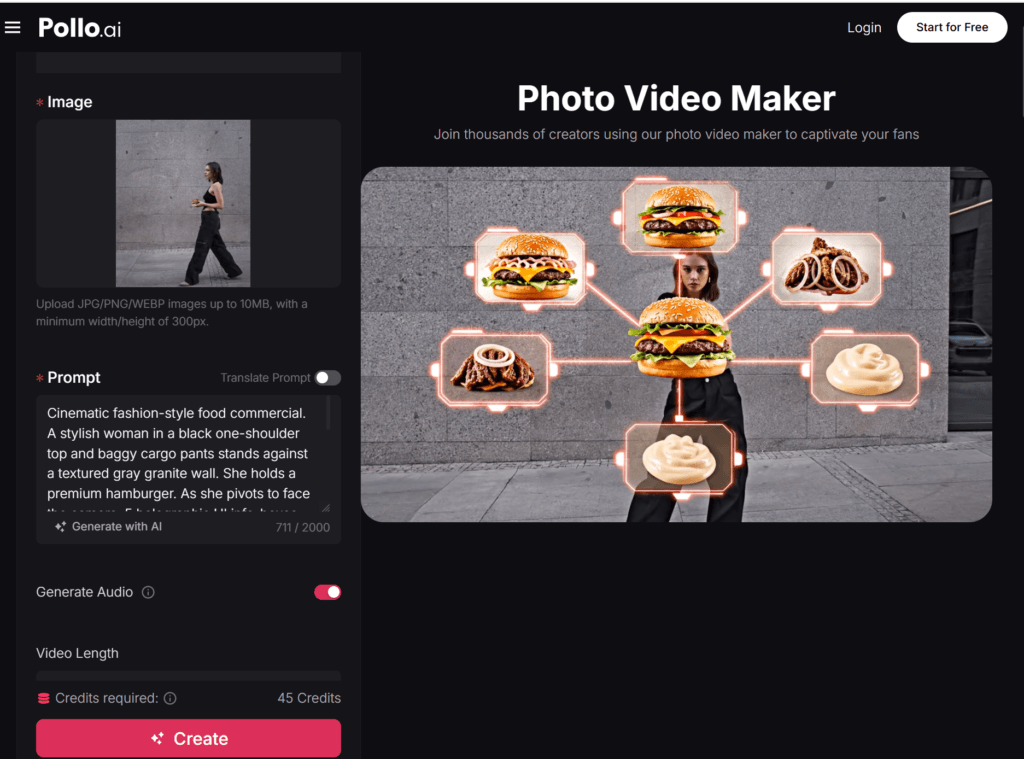
The Photo Video Maker on Pollo AI is built specifically around this use case. You bring the photos, select a style and pacing preference, and Pollo AI generates a video that’s formatted for distribution correct aspect ratios for different platforms, caption support, music options, and export quality suitable for professional use.
For creators and businesses that publish content regularly rather than occasionally, the production time per video is short enough to fit into a normal content workflow rather than requiring a dedicated production session. Pollo AI has positioned this as a tool for people who need consistent video output from existing assets, which is exactly the use case that matters most for small teams.
The Types of Content That Convert Best From Photos to Video
Not all photo libraries produce equally compelling video output, and understanding which content types translate best helps you prioritize where to invest the production effort.
Product photography is the strongest starting point for most e-commerce and product businesses. A sequence of product images hero shot, detail shots, lifestyle context, packaging assembles naturally into a product overview video that can be used on a product detail page, in a social media ad, or as a YouTube content piece.
The conversion lift from product video over static images on e-commerce pages is well-documented, and photo video maker tools make it economically viable to have video coverage for every product rather than just the flagship SKU.
Event and experience photography converts well because the sequential nature of events naturally lends itself to a narrative structure in video. A conference, a store opening, a client event, or a team outing captured in still photography can become a recap video that extends the event’s life beyond the day itself and serves as content for future marketing.
Portfolio and showcase content for creative professionals photographers, designers, architects, interior decorators benefits from video presentation because motion draws the eye in a way that static images in a gallery don’t.
A video walkthrough of a completed project communicates the scope and quality of work more effectively than individual images, and it’s a format that performs better in social feeds and on professional platforms like LinkedIn.
Seasonal and campaign content has a limited production window but a clear content need. Producing video assets for a product launch, a seasonal promotion, or a campaign from existing photography is significantly faster than coordinating a video shoot, which makes photo-to-video conversion particularly valuable for time-sensitive content.
Adding a Screen Recording and Presentation Layer
Photo video maker tools handle the visual content side of a content operation. A complementary need that often comes up alongside it is the ability to record screen-based content product walkthroughs, software tutorials, process demonstrations, or recorded presentations and produce it in a format that’s ready to publish or share.
Vmaker AI, accessible through Pollo AI, addresses this part of the content workflow. Its screen recording and AI-enhanced video production tools are designed for teams that need to produce walkthrough and demonstration content without a complicated setup.
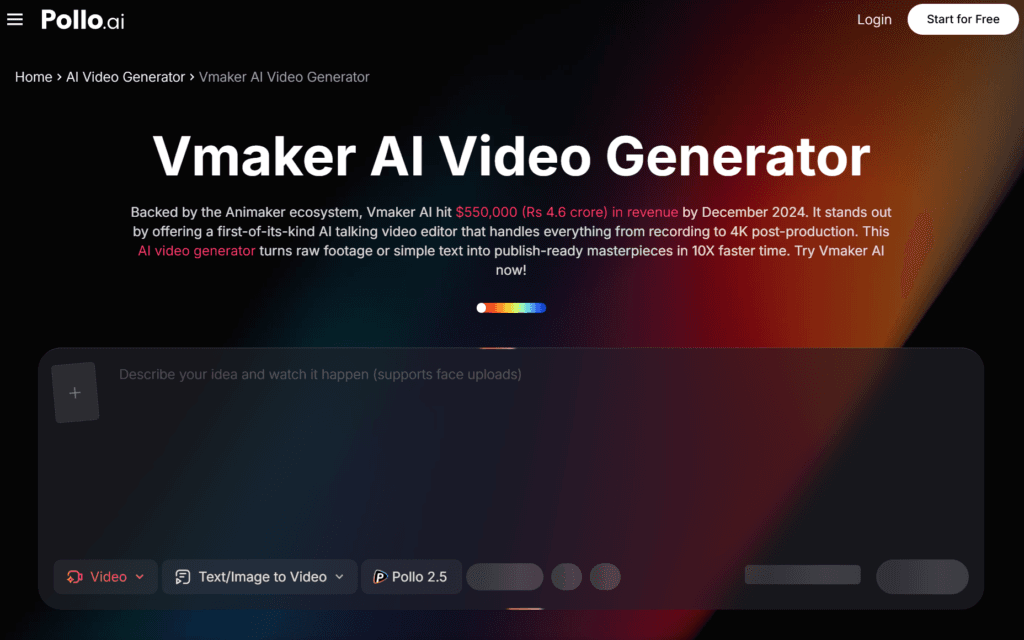
For a SaaS company that needs to keep its tutorial library current, a consultant who produces process documentation for clients, or a creator who supplements visual content with explanatory screen recordings, Vmaker AI handles the capture and production layer that photo video makers don’t address.
Pollo AI providing access to both tools means photo-based content and screen-based content can be produced within the same workflow context, rather than requiring separate tools for adjacent production tasks.
Optimizing Your Photo Selection for Better Video Output
The quality of the video output depends significantly on the quality and variety of the photos you put in. A few principles that consistently produce better results:
Variety in framing and distance. A sequence of identically framed photos produces video that feels static regardless of the motion effects applied. Mix wide establishing shots with close-up details, and include both horizontal and vertical orientations if your distribution spans platforms that favor different aspect ratios.
Consistent lighting across the sequence. Dramatic shifts in lighting quality between photos — some well-lit, some poorly lit — create jarring transitions that undermine the professional feel of the output. If you’re selecting from a larger archive for a specific video, prioritize photos with similar lighting conditions or from the same shooting session.
Include context photos alongside subject photos. The most engaging photo videos show not just the subject but the environment around it. For a product, this means lifestyle shots alongside detail shots. For an event, it means crowd shots and venue shots alongside speaker or performer images. The environmental context gives the video a sense of place and scale that isolated subject shots don’t provide.
Think in sequences rather than individual images. Before selecting photos for a video, map out the narrative you want to tell and then find photos that support each stage of that narrative. A product launch video might follow the sequence: problem → solution → product detail → product in use → call to action. Selecting photos with that structure in mind produces more intentional output than selecting your twelve best photos and hoping they assemble coherently.
Building a Consistent Video Publishing Habit
The most common obstacle to building a regular video presence isn’t tool quality it’s consistency. Most creators and businesses produce a burst of video content when they first adopt a new tool, and then output drops off because the workflow hasn’t been integrated into regular production habits.
A few practical habits that sustain consistent output:
Set a fixed production session each week rather than creating videos reactively. A scheduled 45-minute session dedicated to photo-to-video conversion produces more total output than an ad-hoc approach, where video gets created only when there’s extra time, which is almost never.
Build a photo backlog system. Keep a dedicated folder of photos flagged for video conversion. Every time you take or receive photos that have video potential, drop them in the folder rather than leaving them in the main library. This means your video production sessions start from an organized starting point rather than requiring a photo search before any production begins.
Establish a distribution checklist so that publishing doesn’t become the bottleneck. Know which platforms each video format goes to, have the captions written or templated before the production session, and have the scheduling tools ready. The production step should be the last barrier, not the first in a series.
The photos are already there. The platforms are already rewarding video. Pollo AI’s Photo Video Maker and complementary tools like Vmaker AI have reduced the production step to something manageable within a normal working schedule. The remaining variable is building the habit and that’s a decision, not a tool problem.
Pradeep Sharma is a author the mind behind Techjustify, where I craft insightful blogs on technology, digital tools, gaming, AI, and beyond. With years of experience in digital marketing and a passion for tech innovation, I aim to simplify complex topics for readers worldwide.
My mission is to empower individuals with practical knowledge and up-to-date insights, helping them make informed decisions in the ever-evolving digital landscape.